
The Importance of QR Code: How It Can Make Your Life Easier
Understand how QR Codes simplify access to information and services.
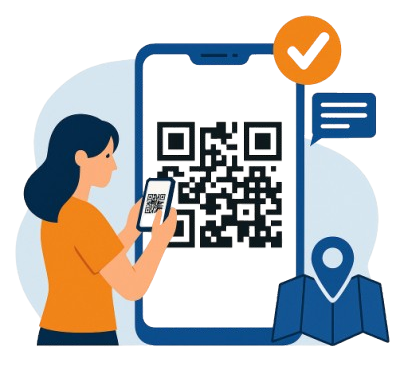
📌 What is a QR Code and What Is It For?
A QR Code, or Quick Response Code, is a type of two-dimensional barcode that can be read by camera-enabled devices like smartphones and tablets. Created in Japan in 1994 by Denso Wave, it was initially designed to track automotive parts. Over time, its use expanded to various fields, including marketing, mobile payments, and education.
With the COVID-19 pandemic, the use of QR Codes increased significantly, enabling businesses to offer digital menus, promotional campaigns, and contactless interactions. Today, it is a widely used technology for instant information access through a simple scan.
✅ What Are the Benefits of QR Codes? Check the Advantages!
QR Codes offer advantages for both businesses and consumers.
- 📌 In marketing, they connect physical campaigns to digital content.
- 📌 In stores and restaurants, they replace physical menus with digital versions.
- 📌 In events and tourism, they simplify registration and access to information about locations.
In events, QR Codes streamline check-in and access to event details. They are also useful in tourism, making ticketing and navigation easier. These benefits demonstrate the flexibility and convenience of QR Codes in everyday life.
Types of QR Codes and Their Applications
QR Codes are very versatile and have many applications. Common types include:
- QR Code for URLs: Instantly redirects to a website, widely used in marketing campaigns.
- QR Code for Contact Information: Stores data like phone numbers or email addresses for easy sharing.
- QR Code for Locations: Directs users to a specific spot on a map.
- QR Code for Wi-Fi: Lets users connect automatically to a Wi-Fi network.
- QR Code for Payments: Used in mobile payments, especially in stores and service providers.
How to Generate and Use a QR Code
Creating a QR Code is simple and can be done using online tools. Follow these steps to create yours:
🎯 Generate QR Code Now →- Enter the Information: Fill in the field with the URL, text, or data you want to encode.
- Customize the Code: Choose colors and styles, but make sure there’s enough contrast for easy scanning.
- Generate and Test: Click to generate your code and test it to ensure it works properly.
- Use It: Insert the QR Code into printed materials or social media and track user interactions.
Final Considerations on Using QR Codes
QR Codes are practical and versatile tools that simplify access to information, payments, and authentication. However, as their usage grows, it’s important to remain alert to security. Always verify the source of a QR Code before scanning and avoid those that seem suspicious.
Frequently Asked Questions
Here are some common questions about using QR Codes:
📱 Can I create customized QR Codes with logos?
Yes! Many generators, including ours, allow you to customize your QR Code with colors, styles, and even embed a logo.
📶 Do QR Codes work without internet?
The QR Code itself doesn’t require internet to be scanned, but the content it links to (like websites) usually does.
🛡️ Can QR Codes be cloned for scams?
Unfortunately, yes. That’s why it’s essential to scan QR Codes only from trusted sources and check the link before interacting.
📍 Real Use Cases of QR Codes in Brazil
In recent years, QR Codes have become popular in many sectors in Brazil. Here are a few examples:
- PIX: Instant payments using QR Codes are now used by millions of Brazilians.
- Restaurant menus: Many establishments replaced physical menus after the pandemic.
- Utility bills: Some taxes and bills like IPVA and IPTU are now payable directly via QR Code in certain states.
Besides QR Codes, practices like creating strong passwords are essential to protect your personal data. Just like QR Codes, strong passwords are key to digital security.
How QR Codes work (versions, modules and error correction)
A QR Code is made up of “modules” (small squares) arranged in a matrix. The number of modules changes according to the QR version (1 to 40), allowing from a few to thousands of characters.
It uses detection patterns (finder and alignment) and an error correction mechanism (ECC) that can reconstruct the message even with dirt, tears, or low print quality.
- QR version: defines the matrix size (the larger it is, the more data it holds).
- Quiet zone: a blank margin around the code to aid scanning.
- ECC levels: L, M, Q, H — higher levels add robustness and require more modules.
Static vs Dynamic QR Code: which one to choose?
In static codes, the data is “baked into” the code itself (e.g., a fixed URL). In dynamic codes, the QR points to an address that redirects (you can change the destination later and measure clicks).
Static (when to use)
- Materials that won’t change (manuals, long-lived packaging).
- Simple payloads (short URL, Wi-Fi, vCard).
- Low need for metrics.
Dynamic (when to use)
- Campaigns with deadlines, UTM and A/B tests.
- Need to change the destination after printing.
- Access and performance reporting.
Tip: for print, prefer a short URL (or dynamic) to keep the code less dense and easier to scan.
Design and print best practices
- High contrast (light background, dark modules); avoid heavy gradients.
- Keep a minimum quiet zone (~4 modules) with no overlapping elements.
- Size: for flyers/tabletops, think ~1 inch/2.5 cm+; for billboards, scale with viewing distance.
- Test on different phones and lighting conditions before publishing.
- Logo in the center? Use higher ECC (Q/H) and avoid touching the finder patterns.
- Print: avoid over-compression (don’t ship blurry artwork); on screens, use crisp PNG/SVG.
Adjust ECC level to the environment: outdoors and wear-prone areas call for Q/H.
Security and LGPD: how to avoid “QRishing”
QR scams (QRishing) exploit overlaid stickers and malicious links. Educate users and add controls.
- Display and verify the destination domain after the scan (preview).
- For public materials, use seals/varnish to make malicious overlays harder.
- Avoid encoding personal data in the QR; point to secure (https) pages with forms instead.
- Use UTMs and URL shorteners you control to monitor access without over-collecting data.
When handling personal data, follow LGPD principles (purpose, minimization, security).
Quick checklist before publishing
- Does the link open quickly and over https?
- Does the QR have proper contrast, quiet zone and size?
- ECC appropriate for the environment (e.g., H in harsh settings)?
- Tested on iOS/Android with the native camera?
- Destination with metrics/UTM (for marketing)?
Myths and facts
“The prettier it is, the better it scans.”
Not always. Excessive styling can hurt contrast and reading patterns.
“Tiny QRs always work.”
Size depends on viewing distance and data density. Adjust to the context.
“If it generated, it’s fine.”
Validate on multiple devices and lighting conditions. Print and displays vary a lot.
Quick glossary
- ECC (Error Correction) — L/M/Q/H levels that allow message recovery when partially damaged.
- Quiet zone — Blank margin around the code, essential for recognition.
- Version — Defines matrix size (1 to 40), impacting capacity and density.
Continue with Utinix’s useful resources:
🚀 Keep learning:
Check out other articles on Utinix